
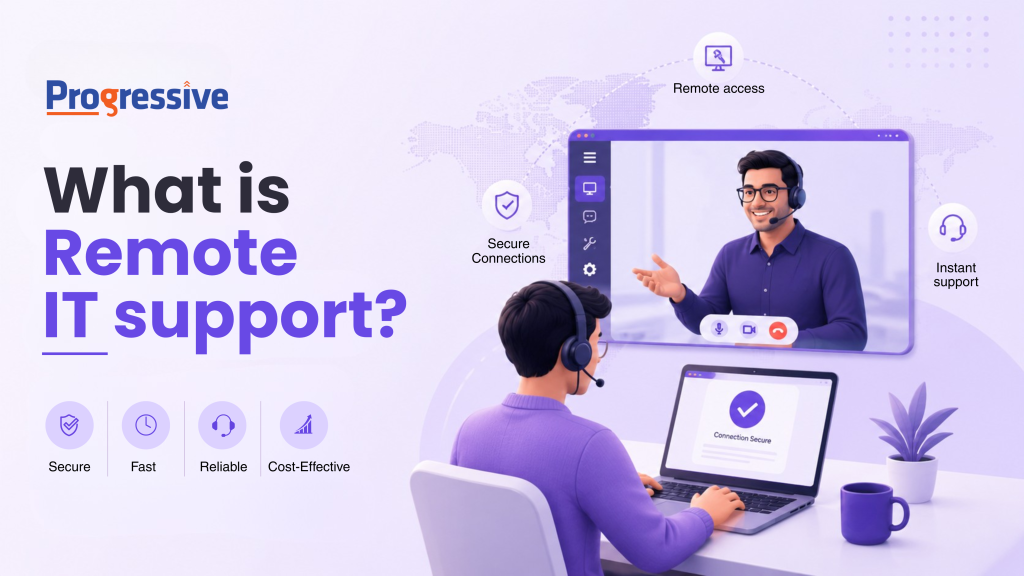
Remote IT support has become one of the most important topics in IT Service Management, and for good reasons. Distributed teams, hybrid work setups, and cloud-first operations are now standard across industries. Organizations today need the ability to deliver and receive technical help from anywhere, not as a perk, but as a core business function.
Despite how widely organizations use the term, significant ambiguity still surrounds what remote IT support involves, where its scope ends, and what tools make it work in practice.
This article breaks all of that down clearly, so whether you are evaluating remote IT support for your organization or working to understand it more thoroughly, you will leave with a solid picture of how it works and why it matters.
What is Remote IT Support?
Remote IT support is the delivery of technical assistance, troubleshooting, and IT management to users and systems without requiring a technician to be physically present. IT professionals use secure internet connections and specialized software to access devices remotely, diagnose problems, and apply fixes in real time.
Speed is its defining advantage. Rather than waiting for a technician to travel to a location, organizations can address issues almost immediately after reporting them. In many cases, proactive monitoring catches and resolves problems before users even notice something is wrong.
Organizations typically deliver remote IT support through multiple channels including phone, chat, email, and remote desktop software, depending on the nature of the issue and the preferences of the user or the organization.
Key Insight
Remote IT support is not a single, uniform service. It spans everything from basic help desk support to network management, cloud administration, cybersecurity, and compliance. Evaluating a provider means understanding the full scope — not just the help desk layer.
How Does Remote IT Support Work?
At a technical level, remote IT support works by establishing a secure connection between the support engineer and the device or system that needs attention. The technician views the user’s screen, takes control of the device with appropriate permission, runs diagnostics, makes configuration changes, and resolves the issue, all without being in the same room or the same country.
There are two primary delivery modes:
| Attended Remote Support | Unattended Remote Support |
|---|---|
|
1
User is present during the session
|
1
Technician accesses device without user present
|
|
2
One-time session code grants access
|
2
Requires pre-installed agent on device
|
|
3
No pre-installed agent needed
|
3
Ideal for patch deployment, updates, scans
|
|
4
Best for complex issues requiring user input
|
4
Handles server restarts and network changes
|
|
5
Works for personal and unmanaged devices
|
5
Enables 24/7 proactive maintenance
|
Most mature remote IT operations use both modes, choosing the right approach based on what the task requires.
Who Needs Remote IT Support?
Most organizations need remote IT support, but its value becomes especially clear in specific scenarios:
| Organization Type | Primary Need | Remote IT Fit |
|---|---|---|
| Remote and hybrid teams | Support regardless of location or hour | Strong Fit |
| Multi-location businesses | Consistent IT standards across branches | Strong Fit |
| Small and medium businesses | Enterprise-grade security without full in-house team | Strong Fit |
| Enterprise with global service desk | 24/7 coverage across time zones | Strong Fit |
| Single-location, hardware-heavy ops | Physical infrastructure work | Hybrid Model |
Cybersecurity for small businesses is one of the most pressing conversations in IT right now. Smaller organizations are frequently targeted precisely because attackers assume defenses are weaker. Remote IT support is often what bridges that gap without requiring a full in-house security team.
The Full Scope of Remote IT Support
Many explanations of remote IT support describe it too narrowly. The actual scope is considerably broader than most people expect:
| Service Area | What It Covers |
|---|---|
| Help Desk Support | Software errors, login issues, connectivity, application config |
| Network Monitoring | Real-time watching of routers, switches, firewalls, access points |
| Endpoint Management | Updates, security policies, configs across all devices at scale |
| Cybersecurity | Threat monitoring, vulnerability assessments, incident response |
| Cloud Management | Provisioning, access control, cost optimization, backups |
| Patch Management | Scheduled update cycles across OS and applications |
| Backup & Recovery | Disaster recovery design, testing, and business continuity |
| Compliance & Reporting | HIPAA, GDPR, ISO 27001 controls, audit trails, documentation |
Help Desk and End-User Support
The most visible layer, and the one most commonly associated with remote IT support, is end-user assistance. Software errors, login issues, application configuration, connectivity problems. These are the day-to-day requests that keep help desk teams busy, and resolving them quickly has a direct impact on employee productivity.
A properly run global service desk handles these requests around the clock, maintaining consistent service quality regardless of where a user is located or what time it is.
Network Monitoring and Management
Remote IT teams monitor network infrastructure in real time, watching routers, switches, firewalls, and access points for performance issues and unusual activity. The goal is not to respond to outages. It is to prevent them.
This kind of continuous monitoring means that most network issues are caught early, often before any user is impacted. That proactive posture is one of the clearest differentiators between a remote IT function that genuinely protects a business and one that simply responds when things break.
The Proactive Difference
The goal of network monitoring is not to respond to outages — it is to prevent them. Most issues caught through continuous monitoring never become visible to anyone outside the IT function. That invisibility is the measure of success.
Endpoint Management
Every device connecting to your organization’s network is an endpoint such as laptops, desktops, tablets, smartphones. Each one needs current updates, proper security settings, and correct configurations. Remote IT teams manage all this centrally, deploying software updates, enforcing security policies, and managing configurations across hundreds or thousands of devices without physical access to any of them.
For organizations with distributed workforces, centralized endpoint management is not a convenience. It is the only practical way to maintain security consistency on a scale.
Cybersecurity
Security deserves particular attention not only because it is critical, but because organizations that have not yet experienced a serious incident routinely underestimate its importance.
Cybersecurity for small businesses is a genuinely urgent concern. Attackers frequently target smaller organizations because they offer a lower barrier to entry, and a breach can carry severe financial and reputational consequences. Remote IT support addresses this through continuous threat monitoring, vulnerability assessments, firewall management, multi-factor authentication, phishing protection, and incident response.
A capable remote security team can detect a suspicious event, investigate it, and contain it fast — sometimes before the affected user is even aware of anything happened.
Cloud Services Management
Most organizations now depend on cloud platforms for storage, collaboration, and core operations. Managing those environments properly demands consistent attention and specialized knowledge. Remote IT teams handle provisioning, access control, cost optimization, backup protocols, and recovery planning, without requiring organizations to hire dedicated cloud specialists in-house.
Patch and Update Management
Unpatched software is one of the most common and most preventable security vulnerabilities. Remote IT teams manage updating cycles across operating systems and applications on a defined schedule, keeping everything current without disrupting business operations. When teams handle this well, it is effectively invisible. When organizations neglect it, the consequences tend to be highly visible at the worst possible moment.
Backup, Disaster Recovery, and Business Continuity
No system is failure-proof. Hardware fails, ransomware encrypts data, and human error deletes files that are not easy to recover. Organizations that bounce back quickly from these events are the ones that are prepared before anything went wrong.
Remote IT support includes designing and maintaining backup systems, testing recovery procedures regularly, and ensuring that when something does go wrong, the path back to normal operations is clear and well-practiced.
IT Compliance and Reporting
Organizations in regulated industries operate under frameworks like HIPAA, GDPR, and ISO 27001 that require specific controls, audit trails, and documentation. Remote IT teams implement and maintain these requirements, generate compliance reports, and keep systems aligned with regulatory obligations over time.
Remote vs. On-Site vs. Hybrid IT Support
Remote IT support handles most day-to-day needs efficiently. But it does not handle everything, and any honest assessment must acknowledge that.
Hardware failures, physical infrastructure installations, office network deployments, and certain hands-on diagnostics still require someone to be on-site. A failed hard drive cannot be replaced remotely. A new office cannot be cabled and set up without a technician physically present.
The most effective IT support model is not a binary choice between remote and on-site. It is a hybrid approach that uses remote delivery as the primary layer — for its speed, coverage, and cost efficiency — while keeping on-site capability available for situations that genuinely require it.
| Criterion | Remote | On-site | Hybrid |
|---|---|---|---|
| Response Speed | Fastest | Slowest | Fastest |
| Hardware Support | Not Possible | Full | Full |
| 24/7 Availability | Yes | Limited | Yes |
| Scalability | High | Low | High |
| Cost Efficiency | Lower | Higher | Balanced |
| Infrastructure Setup | Not Possible | Full | Full |
| Distributed Workforce | Ideal | Impractical | Ideal |
Organizations that run exclusively remote often find gaps in moments that matter. Organizations that rely entirely on on-site support pay for it in response time and scalability. Getting the balance right is where the real operational advantage comes from.
Choosing the Right Remote IT Support Partner
Not all remote IT support providers operate at the same level, and the differences tend to matter more than they appear from the surface. Use this checklist before committing to a provider:
- True 24/7 coverage, not just ‘available in theory’ ask how the provider handles critical incidents outside peak hours and on weekends.
- Full-service depth across security, cloud, and help desk — a helpdesk-only provider leaves compliance and security gaps.
- Specific, enforceable SLAs with defined response times — vague commitments to ‘respond promptly’ are not SLAs.
- Proven scalability as your organization grows — understand how the service adapts before you need it to scale.
- On-site capability available when remote is not enough — a purely remote provider will leave you stranded for hardware work.
- Transparent security practices and relevant certifications — ask about access control, encryption, and incident protocols.
- Regular reporting on system health and ticket trends — good partners surface data proactively, not only when asked.
Progressive Techserve: Remote, On-Site, and Hybrid IT Support
At Progressive Techserve, every engagement starts with a clear understanding that each organization operates differently. That is why the team tailors the support strategy to each business’s unique requirements, goals, and IT environment.
What Progressive Techserve Delivers
Progressive Techserve delivers a fully coordinated service framework across all three delivery models — matched to how your organization actually operates.
| Delivery Model | Services Included |
|---|---|
| Remote | Monitoring, help desk, endpoint management, cloud administration, patch management, cybersecurity |
| On-Site | Field technicians for hardware support, office infrastructure deployments, and hands-on work |
| Hybrid | Seamless coordination of both models under a single service framework |
Some organizations need continuous remote coverage and a responsive global IT service desk to support distributed teams across regions. Others need on-site capability for infrastructure projects or hardware work. Most need some combination of both and the right ratio depends on how the business actually operates.
On the remote side, Progressive Techserve delivers continuous monitoring, a well-staffed help desk, endpoint management, cloud administration, patch and update management, and cybersecurity coverage that leaves no gaps. For organizations running a global service desk model, the infrastructure and staffing are already in place.
On the on-site side, Progressive Techserve deploys experienced field technicians for hardware support, office infrastructure deployments, and any situation where physical presence is the right call. There is no handoff to a third party when on-site work is needed — it is part of the same service.
For most clients, the hybrid model is where the most value shows up. Remote delivery handles daily volume with speed and consistency. On-site capability steps in when the situation calls for it. Both layers operate under the same service framework, which means coordination is seamless rather than reactive.