
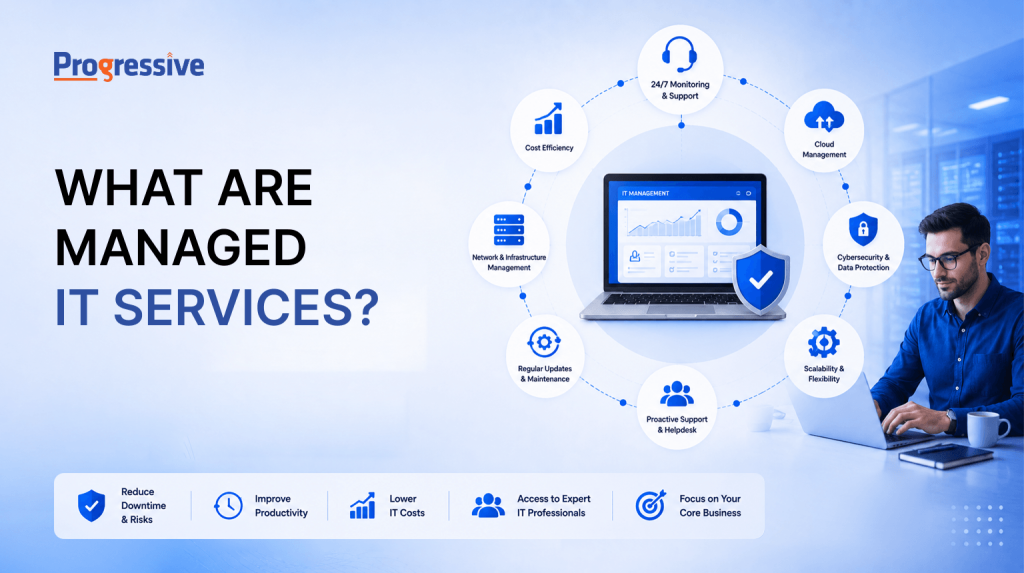
IT teams today are expected to keep systems secure, available, and fast, while also supporting new projects, cloud migrations, and a growing number of endpoints and users. Doing all of this with an in-house team alone gets expensive and hard to scale, which is why a growing number of businesses turn to managed IT services instead.
Managed IT services let a business hand off specific technology functions, or in some cases its entire IT operation, to an outside provider. Rather than hiring, training, and retaining a full team for every function, a company partners with a specialist who takes on that responsibility under a clear, ongoing agreement.
Quick Answer
Managed IT services are technology functions, such as network monitoring, cybersecurity, or cloud management, that a business hands off to an outside provider on an ongoing basis, under a contract that defines response times and accountability.
What Do Managed IT Services Mean?
At its core, a managed IT service is any technology function that a business pays an outside company to handle on an ongoing basis, rather than managing it entirely with in-house staff. This could be something narrow, like monitoring a company’s network overnight, or something broad, like running the entire IT department.
What sets this apart from calling a repair technician when something breaks is the word “ongoing.” A managed IT services model isn’t about fixing one incident and walking away. It’s a continuous relationship where the provider is watching, maintaining, and improving systems every single day, usually under a contract that spells out exactly what they’re responsible for.
This shift changes how IT gets budgeted and measured too. Instead of paying for emergency callouts and unplanned downtime, a business pays a predictable monthly fee for a defined outcome: systems that stay online, data that stays protected, and issues that get caught before they affect employees or customers. If a payment gateway starts timing out at night, for example, the provider’s monitoring should flag it and start remediation before a single customer complaint comes in, not after.
Think of it less like hiring a plumber for a leak, and more like having a property manager who checks the pipes every week so the leak never happens in the first place.
How Do Managed IT Services Work?
A traditional IT vendor might sell hardware or software and step away once it’s installed. A managed IT service provider stays involved. They monitor performance, apply security patches, track capacity, troubleshoot issues remotely, and often catch problems before anyone inside the company even notices something is wrong.
Most of this happens through remote monitoring and management (RMM) tools that run in the background across servers, endpoints, and network devices. These tools flag unusual CPU or memory usage, failing hard drives, expired certificates, or suspicious login attempts, often hours or days before they would otherwise surface as a visible outage. When something does need attention, the provider’s team steps in directly, sometimes resolving the issue before anyone on the client side is even aware there was a problem.
This ongoing involvement is backed by an agreement, usually called a service level agreement or SLA. A typical SLA spells out response times by severity, for example, 15 minutes for a critical outage versus 4 hours for a minor issue, along with guaranteed uptime percentages (often 99.9% or higher) and the escalation path if those targets are missed.
Without an SLA, “managed” is just a marketing word. With one, it becomes an accountable, measurable commitment that both sides can point to when something goes wrong.
Types of Managed IT Services
Not every business needs the same slice of support. Managed IT services usually get requested in a few common areas, and most providers let businesses mix and match based on where the gaps actually are:
- Round-the-clock network monitoring — tracking bandwidth, latency, and connectivity across offices and remote employees so slowdowns get caught before they affect productivity.
- Cybersecurity management — threat detection, patch management, firewall configuration, endpoint protection, and incident response.
- Cloud environment management — cost optimization, workload performance, and configuration across AWS, Azure, or Google Cloud, since misconfigured cloud resources are a common source of both security gaps and wasted spend.
- Data backup and disaster recovery — fast, complete restoration with tested recovery objectives, not backups that have never actually been verified.
- Help desk support — resolving password resets, software issues, and hardware problems without pulling internal IT off bigger projects.
- IT infrastructure management — servers, storage systems, networking hardware, and the routine maintenance behind all of it.
- Strategic IT consulting — planning upgrades, cloud migrations, and technology roadmaps with someone who understands both the technical trade-offs and the business impact.
A company might only outsource one of these, say, cybersecurity, while keeping everything else in-house. Or it might hand over the whole list to a single managed IT service provider and treat that provider as an extension of its own team. Many businesses start with one service, see measurable results within a few months, and gradually expand from there.
Benefits of Managed IT Services
Ask ten different IT leaders why they brought in a managed IT service provider, and the reasons will overlap more than they differ.
The talent problem is real. Cybersecurity, cloud architecture, and network engineering are specialized fields, and good people in these roles are hard to hire and even harder to retain, especially for a company that only needs that expertise part-time. A managed IT service provider gives access to an entire bench of specialists, from security analysts to cloud architects, at a fraction of the cost of hiring each one individually.
Budgets get easier to plan. In-house IT costs tend to spike unpredictably: a server fails, a security incident happens, someone quits and needs replacing, each at a different time and a different cost. Managed IT services usually run on a flat monthly fee tied to the number of devices, users, or systems covered, which turns unpredictable spending into a line item finance can plan around year over year.
Fewer surprises, fewer fires. Because providers get paid to keep systems healthy rather than to show up after something breaks, they tend to invest heavily in prevention. Patches go out on a set schedule, backups get tested on a set cadence, and vulnerabilities get flagged and closed before they’re exploited, rather than discovered after a breach.
Internal teams get their time back. When day-to-day maintenance is handled externally, in-house IT staff can spend their energy on the projects that actually differentiate the business, like new system rollouts, product integrations, or process automation, instead of resetting passwords and patching servers.
Managed IT Services vs. Cloud Services: What’s the Difference?
Cloud services describe what’s being delivered: software, storage, or computing power, hosted and maintained by a vendor like a SaaS platform or a cloud infrastructure provider. The vendor is responsible for the underlying service running as advertised, but not necessarily for how well it’s configured, secured, or used inside a specific business. A cloud provider like AWS guarantees its data centers stay up; it does not guarantee that a company’s specific server setup on AWS is configured securely or cost-efficiently.
Managed IT services describe who’s responsible for outcomes. A managed IT service provider might use cloud infrastructure to deliver its service, but the job goes further: making sure that infrastructure is configured correctly for the business’s needs, secured against threats, monitored continuously, and adjusted as usage patterns and costs change over time.
In practice, many managed IT service providers build their offerings on top of cloud platforms, combining the two. The cloud vendor keeps the underlying platform running. The managed IT service provider makes sure it actually works for the business using it, and steps in when it doesn’t.
A simple way to remember it: cloud services are a product. Managed IT
services are a relationship.
When Should You Consider a Managed IT Service Provider?
There’s no universal trigger point, but a few signs tend to show up before companies bring in a managed IT service provider. Individually, these might not seem urgent. Together, they usually point to the same conclusion.
Signs it’s time to talk to a provider
- IT staff spend most of their time on maintenance and support tickets instead of strategic projects.
- Security incidents or near-misses are becoming more frequent, or harder to catch before they cause damage.
- IT costs swing unpredictably from month to month, making the budget hard to forecast or defend.
- Growth is outpacing what the internal team can realistically support, whether that’s new hires, locations, or systems.
- Leadership keeps asking for faster, more reliable technology outcomes than the current setup can deliver.
If two or three of these sound familiar, it’s worth having a conversation about what managed IT services could take off your plate, and where the actual gaps in your current setup are.
Choosing the Right Managed IT Service Provider
Managed IT services exist to solve a fairly simple problem: businesses need reliable, secure, well-maintained technology, but building and staffing that capability entirely in-house is expensive, hard to scale, and difficult to keep current as threats and tools evolve. A good managed IT service provider fills that gap, bringing specialized expertise, predictable costs, and accountability through clear SLAs.
When evaluating providers, look past the sales pitch. Ask for references from businesses of similar size and industry, review how transparent their reporting is (can you actually see uptime, ticket resolution times, and security metrics, or just a monthly summary), and check whether their SLA matches your specific risk tolerance and compliance requirements, not a generic template built for a different kind of business.
For IT leaders trying to balance day-to-day stability with long-term strategy, the right partnership is often exactly what’s needed to stop reacting to problems and start staying ahead of them.
Progressive Techserve helps businesses simplify their technology operations and strengthen their IT infrastructure through managed IT services built around clear SLAs.